
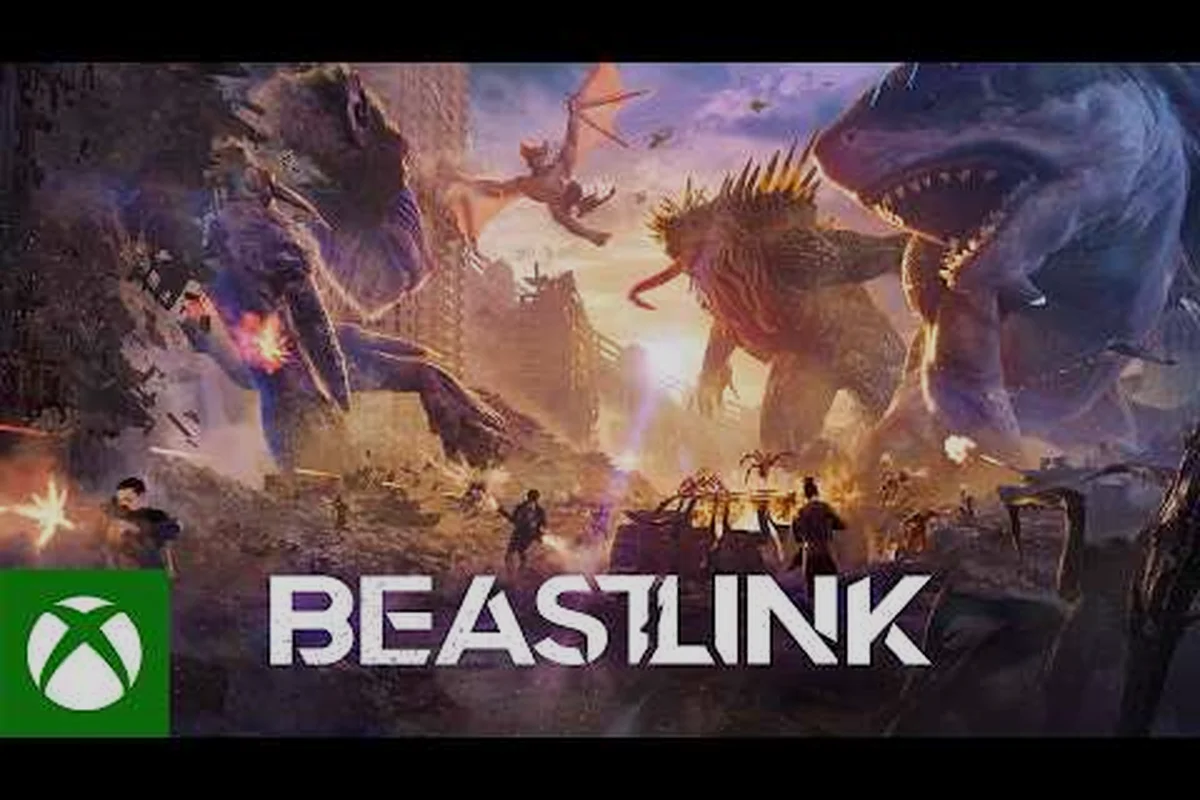
Giant Kaiju battles are always better with friends, but the BeastLink cross-platform situation can get confusing fast when your squad is split across Steam, PS5, and Xbox Series X. Before you rally your crew and spend your hard-earned serum, you need to know exactly which platforms can actually play together, how the invite system works, and whether dedicated servers will save you from laggy matches. We have broken down everything confirmed so far, pulled from the official store pages and community reports, so you can coordinate your next city-smashing session without any nasty surprises.
BeastLink Cross-Platform Support: What Is Confirmed
The first question every squad leader asks is whether BeastLink cross-platform play is live right now, and the answer depends on which platforms you are comparing. According to the official BeastLink website, the game is a giant multiplayer Kaiju experience where humans, vehicles, and colossal Beasts collide in fully destructible cities, built for up to 32 players and multiple active Beasts per match. That scale alone makes crossplay a hot topic, because a full lobby of 32 friends is nearly impossible to fill if you are stuck on a single console.
Here is the confirmed platform lineup based on the official store listings, which distinguishes between platforms with live store pages and those that have only been announced as coming soon. This distinction matters because a store page does not guarantee that crossplay between those platforms will be active on day one:
-
Steam (PC) — live store page with Early Access available now
-
PlayStation 5 — concept page live on the PlayStation Store
-
Xbox Series X|S — store page live with the game announced
When you check the BeastLink page on Steam, you will notice the official description focuses on the Link system, where players spend serum to connect with dormant Kaiju Beasts and take control of colossal creatures. The Steam listing does not explicitly label crossplay in its main description, which has led to plenty of speculation in community forums about whether BeastLink cross-platform functionality will arrive at launch or later during Early Access.
The Xbox Store listing and the PlayStation Store concept page both confirm the game is coming to those platforms, but neither page currently lists crossplay as a guaranteed feature. This is a common pattern for Early Access titles, where the developer often launches with platform-specific matchmaking first and then rolls out crossplay in a later patch once the netcode is stable.
How Crossplay Works in Early Access
During Early Access, many multiplayer games treat crossplay as a beta feature rather than a core promise, and BeastLink appears to be following that same path based on community reports. Players who have tested the current build on Steam report that matchmaking is active and populated, but there is no visible crossplay toggle in the settings menu as of the latest patch. That does not mean the feature is dead, though, because the official YouTube channel has been posting trailers that emphasize the 32-player battles, which would be hard to sustain without eventually opening the gates between platforms.
| Platform | Store Page Status | Crossplay Confirmed | Crossplay Likely |
|---|---|---|---|
| Steam (PC) | Live (Early Access) | Not officially | High |
| PlayStation 5 | Concept page live | Not officially | Medium |
| Xbox Series X/S | Store page live | Not officially | Medium |
| Cross-Gen (PS4/Xbox One) | Not announced | No | Low |
Because the game is still in Early Access, the safest assumption is that BeastLink cross-platform play will arrive in phases, starting with PC-to-PC and console-to-console before opening up fully. If you are planning a mixed-platform squad for launch week, you should have a backup plan, such as using a PC as the host and having console players join through a future update. Keep an eye on the official patch notes, because the developer has been transparent about roadmap changes.
How to Play with Friends on the Same Platform
While crossplay remains a moving target, the BeastLink how to play with friends experience on a single platform is already solid, and you do not need to wait for any updates to get your squad into the same match. The game uses a standard party system where you create a lobby, generate an invite code, and share it with your friends through whichever chat app your group prefers. This works exactly the same way whether you are on Steam, PS5, or Xbox Series X, because the lobby system is built into the game client rather than relying on platform-specific party features.
To get started with BeastLink team play on the same platform, follow these steps. The process differs slightly between Steam, Xbox, and PlayStation because each platform uses its own friends-list overlay, but the core flow of creating a lobby and sharing an invite code is consistent across all of them:
-
Launch the game and select Multiplayer from the main menu.
-
Choose Create Lobby and set your preferred match parameters.
-
Share the 6-digit lobby code with your friends through Discord, party chat, or text.
-
Have each friend select Join Lobby and enter the code.
-
Once everyone is in, the host presses Launch Match to queue into a server.
The lobby system supports up to 32 players, which means you can realistically fill an entire match with friends if your group is active enough. According to our BeastLink multiplayer guide, the game's larger maps are specifically designed to accommodate multiple active Beasts at once, so a full squad means you can coordinate devastating synchronized attacks that would be impossible with random teammates.
Cross-Play Invite Flow and Group Caps
The BeastLink how to invite friends flow is straightforward, but there are a few limitations worth knowing before you start spamming your group chat with codes. The lobby code expires after 10 minutes, which prevents random players from joining your session, but it also means you need to be ready to launch quickly once your squad confirms they are in. If someone misses the window, the host can regenerate a fresh code without leaving the lobby.
| Party Feature | Current Status | Notes |
|---|---|---|
| Max Lobby Size | 32 players | Matches the map design |
| Invite Code Expiry | 10 minutes | Regenerate if expired |
| Voice Chat | In-game support | Also use Discord for clarity |
| Cross-Generation | Not confirmed | PS5-to-PS5 only for now |
| Friends List Integration | Platform-native | Steam/Xbox/PSN overlays work |
For BeastLink squad guide purposes, you should also know that the party system does not currently support persistent squads, meaning you have to re-create your lobby every time you want to play together. This is a minor annoyance, but it does not affect the actual gameplay experience once you are in the match. If you run into connection issues while inviting friends, our BeastLink connection fix guide covers the most common troubleshooting steps.
BeastLink Dedicated Servers and Matchmaking Explained
The BeastLink dedicated servers situation is one of the most important factors for competitive squads, because the difference between dedicated infrastructure and peer-to-peer hosting can make or break a 32-player Kaiju battle. Based on the official website's emphasis on "SuperDestruction" that collapses buildings and reduces entire city blocks to dust, the game clearly needs robust server architecture to keep everyone synchronized when a Beast smashes through a skyscraper. Community reports from the current Early Access build indicate that matches run on dedicated servers, which is excellent news for players who want stable connections.
Here is what the current server setup looks like according to community testing during the Early Access period. Steam players currently get dedicated servers with region-based matchmaking, while console players will need to wait for their platforms to launch before any server infrastructure can be verified for them:
-
Dedicated servers are active for Steam matchmaking as of the latest Early Access patch.
-
Region-based matchmaking picks the closest server to the host's location.
-
Server browser is not yet available, but players expect it in a future update.
-
Custom lobbies currently use the same dedicated infrastructure as public matches.
The lack of a BeastLink how to join a game server browser means you cannot manually pick a specific server, which can be frustrating if you want to play with friends in a different region. However, the matchmaking system does prioritize party integrity, so if you and your squad are in the same lobby, the game will find a server that accommodates all of you, even if it means a slightly higher ping for some members. According to player reports, the netcode handles latency reasonably well, with most cross-region matches staying under 80ms for players in North America and Europe.
Server Regions and Latency Expectations
When you are planning a BeastLink team play session with friends spread across different countries, you need to understand how the region selection works to avoid frustrating lag spikes. The game currently offers servers in North America, Europe, and Asia-Pacific, and the matchmaking system will automatically select the region where the majority of your party is located. This means a squad with three players in the US and one in Japan will likely end up on a North American server, leaving the Japanese player with higher ping.
| Region | Server Availability | Average Ping (Local) | Average Ping (Cross-Region) |
|---|---|---|---|
| North America | Multiple servers | 15-30ms | 80-120ms |
| Europe | Multiple servers | 15-35ms | 90-130ms |
| Asia-Pacific | Limited servers | 20-40ms | 120-180ms |
| South America | Not confirmed | N/A | 150-200ms |
If you are serious about competitive play, you should also consider whether BeastLink dedicated servers will eventually support ranked matchmaking, because the current build only offers casual lobbies. The developer has not announced a ranked mode, but the official YouTube trailers emphasize the competitive potential of Beast battles, so it is reasonable to expect a competitive queue in a post-Early-Access update. Until then, focus on building coordination with your squad and learning the BeastLink strategy guide fundamentals to gain an edge over disorganized public teams.
Squad Coordination and Team Play Strategies
Once you have confirmed your platforms and server situation, the next step is mastering BeastLink squad guide fundamentals so your team can dominate the battlefield instead of getting crushed by a coordinated enemy Beast. The game's core loop revolves around earning serum, linking with dormant Kaiju Beasts, and using those colossal forms to destroy the city while defending against enemy players. A well-coordinated squad that communicates effectively can control the flow of the entire match, which is why BeastLink team play is so heavily emphasized in the community.
The most effective squad compositions follow a clear role distribution, and our BeastLink strategy guide breaks down the optimal team structure in detail. Here is a quick overview of the roles you should assign in your squad, with the understanding that the right composition changes based on whether you are contesting objectives, defending a zone, or planning an aggressive Beast push:
-
Beast Handler — focuses on earning serum and linking with the most powerful Kaiju available.
-
Infantry Support — protects the Beast Handler while they charge up their Link.
-
Demolition Expert — uses vehicles and explosives to collapse buildings on enemy positions.
-
Scout — monitors enemy movements and calls out Beast spawn locations.
-
Flex Player — adapts to whatever role the squad needs at any moment.
Each role requires different loadout choices and positioning strategies, which means your squad should practice together to develop chemistry. According to community reports, squads that communicate through voice chat win significantly more matches than those relying on text chat or pings, because the fast-paced nature of Beast battles leaves little time for typing. The in-game voice chat works well, but many competitive players still prefer Discord for its superior audio quality and persistent channels.
Communication and Callouts That Win Matches
Effective BeastLink team play communication goes beyond simply saying "Beast on the left" and hoping your teammates understand the callout. Competitive squads use a standardized set of callouts for map locations, Beast spawns, and serum deposits, which reduces confusion during chaotic moments. If you are building a serious squad, you should establish your callout system before queuing into a match, because mid-battle communication is usually too frantic for detailed explanations.
| Callout Type | Example | Purpose |
|---|---|---|
| Location | "Market district, north side" | Pinpoints enemy or Beast position |
| Status | "Serum ready in 30 seconds" | Informs squad about Link progress |
| Threat | "Enemy Beast spawning at harbor" | Warns squad to reposition |
| Action | "Collapsing tower on their infantry" | Coordinates demolition strike |
| Retreat | "Pulling back to spawn point" | Signals tactical withdrawal |
For newer players, starting with simple callouts and gradually expanding your vocabulary is the best approach, because overloading your squad with too many terms can cause confusion. The BeastLink mode guide 2026 offers additional insights into how different modes reward different communication styles, so you can tailor your squad's approach to the specific objective you are playing.
Crossplay Future Outlook and What to Expect
The BeastLink cross-platform roadmap is still being shaped, but the available evidence suggests that full crossplay is a matter of when, not if. The official website's emphasis on 32-player battles and the simultaneous store page launches on Steam, PS5, and Xbox Series X|S point toward a unified player base being the long-term goal. According to community reports, the developer has acknowledged crossplay questions in official Discord channels, though they have not committed to a specific release window.
Here is what the community expects based on typical Early Access timelines, which usually see crossplay added during major feature updates rather than at launch. The developer has acknowledged crossplay questions on the official Discord without committing to a date, so treat these expectations as informed speculation rather than confirmed roadmap items:
-
Phase 1 — Crossplay between Steam and Xbox Series X|S, since both use similar networking stacks.
-
Phase 2 — PlayStation 5 crossplay added once certification requirements are met.
-
Phase 3 — Full crossplay with cross-progression for cosmetics and unlocks.
The biggest technical hurdle for BeastLink cross-platform is likely the BeastLink dedicated servers infrastructure, because the developer needs to ensure that all platforms can connect to the same server pool without introducing latency or desync issues. Console platforms also have stricter certification requirements for crossplay, which is why many games launch with PC-to-PC and PC-to-Xbox crossplay before adding PlayStation support. If you are planning to buy the game on multiple platforms, you should hold off until crossplay is confirmed, unless you have friends on each platform who want to play separately.
What Players Should Do Before Buying
If your entire squad is on the same platform, there is no reason to wait, because the current build already supports up to 32-player matches with stable dedicated servers. However, if your friends are split across platforms, you should monitor the official channels and wait for an announcement before committing to a purchase. The BeastLink official YouTube channel is the best source for updates, because the developer regularly posts trailers and patch notes there before they appear on store pages.
Frequently Asked Questions
Does BeastLink have cross-platform multiplayer right now?
As of August 2026, BeastLink cross-platform play is not officially confirmed for Early Access. The game is live on Steam with dedicated servers, and store pages exist for PS5 and Xbox Series X|S, but no crossplay toggle is visible in the current build. Community reports suggest full crossplay may arrive in a future update.
How do I join a game with my friends in BeastLink?
To join friends, create a lobby from the multiplayer menu and share the six-digit code through Discord or platform chat. Friends select Join Lobby and enter the code before it expires after ten minutes. The lobby supports up to 32 players, so large squads can fill an entire match.
Are BeastLink dedicated servers available for all platforms?
Dedicated servers are currently active for Steam players, with region-based matchmaking selecting the closest server automatically. Console versions are not live yet, so server infrastructure for PS5 and Xbox Series X|S remains unconfirmed until those platforms launch. Expect the same dedicated server setup when console versions arrive.
What is the best squad composition for BeastLink team play?
A balanced squad includes a Beast Handler focused on serum, Infantry Support for protection, a Demolition Expert for building collapses, a Scout for intel, and a Flex Player to adapt. Assign roles before matchmaking and use consistent voice callouts to coordinate Beast spawns and demolition strikes effectively.
Will BeastLink crossplay include cross-progression between platforms?
Cross-progression isn’t confirmed for BeastLink, though fans expect it once full crossplay lands. If rollout is phased, linked accounts would likely share cosmetics and unlock progress. Until devs confirm, treat progression as platform-locked. Start your squad on one platform now, or wait—your call.